

One checker, three ways to put it in front of a client.
On your website, as a hosted link, or through the API. The same answer every time, built from your payer list and the plan's own response.
The flow, step by step
-
Add your practice
Enter your NPI, or one per clinician, the states you are licensed in and the payers you are credentialed with. Network status comes from this list and only this list, so the checker never says you take a plan you have not told it about.
-
Put the checker where clients are
Paste the snippet, share the hosted link, or call the API. Match the button colour to your site; the rest of the widget stays neutral so it sits quietly on any page, sage green or lavender included.
-
The client checks
Carrier, member ID, date of birth, state and type of care, plus a consent sentence they can actually read. It takes about a minute, with the insurance card in hand.
-
We ask the plan
The inquiry goes through a healthcare clearinghouse to the plan as a standard electronic eligibility request. It comes back with coverage status and, when the plan reports them, the copay, coinsurance and deductible details.
-
We write the answer
Software turns the plan's response and your payer list into a few plain sentences: in network or not, the likely cost, the next step, the time of the response, and anything that could not be confirmed as a sentence of its own. The widget says the sentence was written by software, so you never have to.
-
You get the lead
The check, the answer and the client's contact details land in your portal, with an alert when one needs a human. Push them to your CRM or intake tool by webhook, or export them any time.
The widget, exactly as it embeds.
This is the embedded widget running in mock mode for a fictional practice, Riverbend Counseling. Fill it in yourself, or let it run one of the sample checks below. Each sample shows a different state.
Sample member IDs and clinicians are fictional. Nothing typed here reaches a health plan.
The embedded widget
One script tag, pasted where you want the checker to appear. It works on Squarespace, Wix, WordPress and any site that lets you add a block of code, and it mounts itself right after the tag.
- Your snippet, with your key already in it, comes from the Widget page of your portal.
- Theme, accent colour, button text and link are saved in the portal, so you restyle the widget without touching your site.
- The widget keeps its own styles, so your site's fonts and colours do not leak in, and its fields do not leak out.
- Lock it to one clinician with
data-clinician, or let clients choose.
<script src="https://api.coveredfortherapy.com/widget/v1/widget.js"
  data-key="tc_live_xxxxxxxxxxxx"
  data-theme="auto"
  data-cta-text="Book my first session"
  data-cta-url="/book"
  async></script>
The key above is a placeholder. Your portal gives you the snippet with your real key in it.
The hosted link
No website edits at all. We host a page for your practice, with your name and logo at the top and the same checker underneath. Share the link in your Psychology Today profile, your email signature, your intake forms and your voicemail greeting.
- Same engine, same privacy rules, same answer as the embedded widget.
- Your name, logo, tagline and button on a clean page that works on any phone.
- Pass a clinician in the link to open it with that clinician already chosen:
?clinician=…
What the link looks like
https://app.coveredfortherapy.com/riverbend-counseling
https://app.coveredfortherapy.com/riverbend-counseling?clinician=okafor
Your portal gives you the link for your own practice. On this sample site the hosted page is demo.html, and it accepts ?practice=, ?tagline=, ?clinician=, ?accent= and ?theme=.
The API
For intake forms, EHR integrations and white-label products. Send the same six fields the widget collects and get back the same structured result the widget renders: a status, the figures the plan reported, the plain-English explanation, the next steps and the disclaimer.
Five statuses, no more: likely_covered, not_in_network, needs_verification, inactive and error. The member ID and date of birth are never echoed back; you get the last four characters and the birth year.
The REST API is included on the Enterprise plan. Requests are allowed only from the domains on your key.
// Request
POST /v1/checks
X-API-Key: tc_live_xxxxxxxxxxxx
Content-Type: application/json

{
  "clinician_id": "cln_yy2izk56dh16",
  "payer_id": "pyr_bcbstx",
  "member_id": "W123456789",
  "dob": "1990-04-12",
  "state": "TX",
  "service_type": "outpatient_mh",
  "client_consent": true,
  "consent_text": "I agree that the insurance details ..."
}
// Response (excerpt)
{
"check_id": "chk_01j9k2...",
"status": "likely_covered",
"in_network": true,
"clinician_name": "Claire Thornton, LCSW",
"payer_name": "Blue Cross Blue Shield of Texas",
"plan_name": "Choice Plus PPO",
"member_id_last4": "6789",
"dob_year": 1990,
"benefits": {
"copay_estimate": 30,
"deductible_remaining": 0
},
"explanation": "Claire Thornton, LCSW is in-network ...",
"next_steps": ["Book a first session ..."],
"disclaimer": "This is an estimate, not a guarantee ..."
}Every check, every lead, one place.
The portal is where you add clinicians and payers, style the widget, read each check and export or delete what you hold.
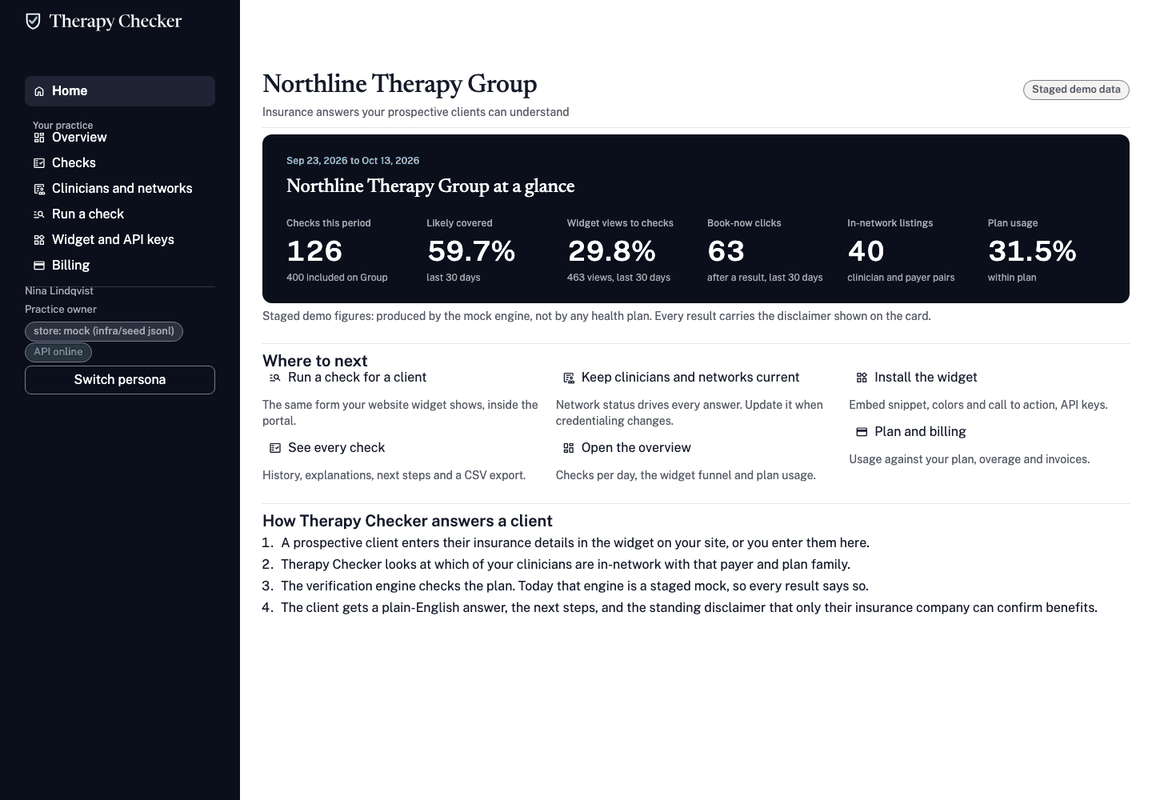
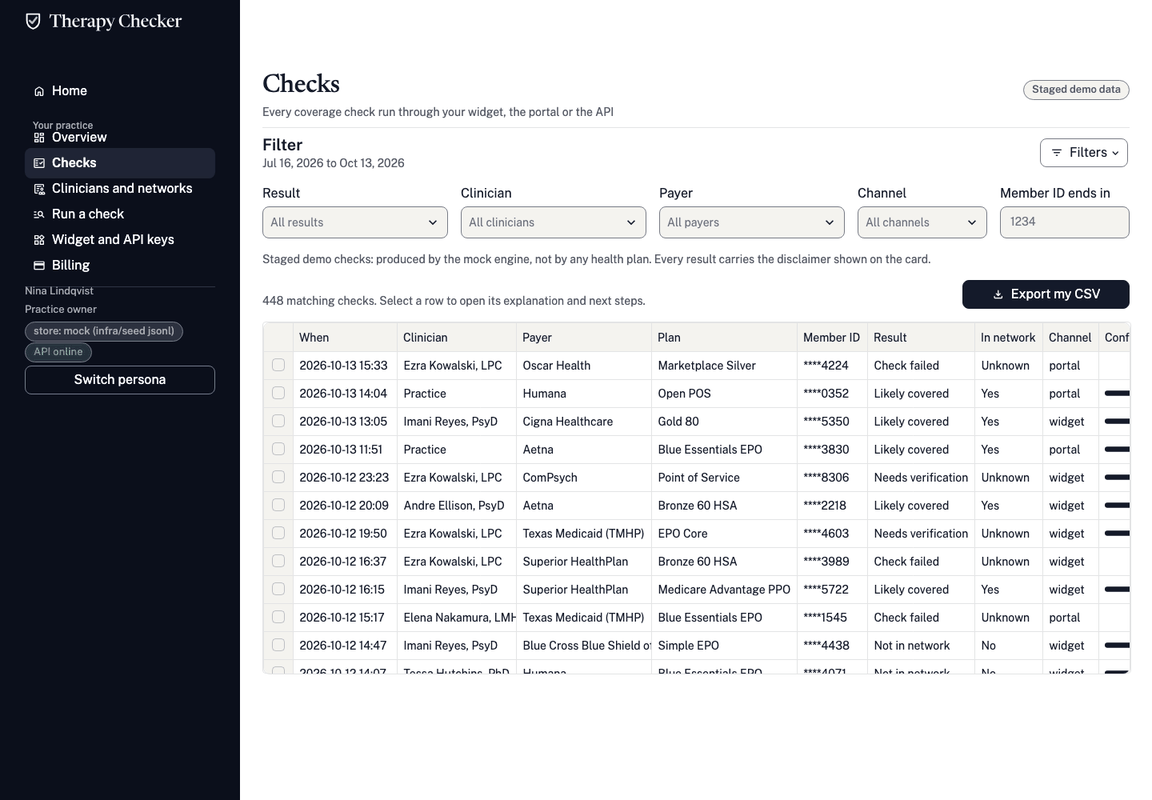
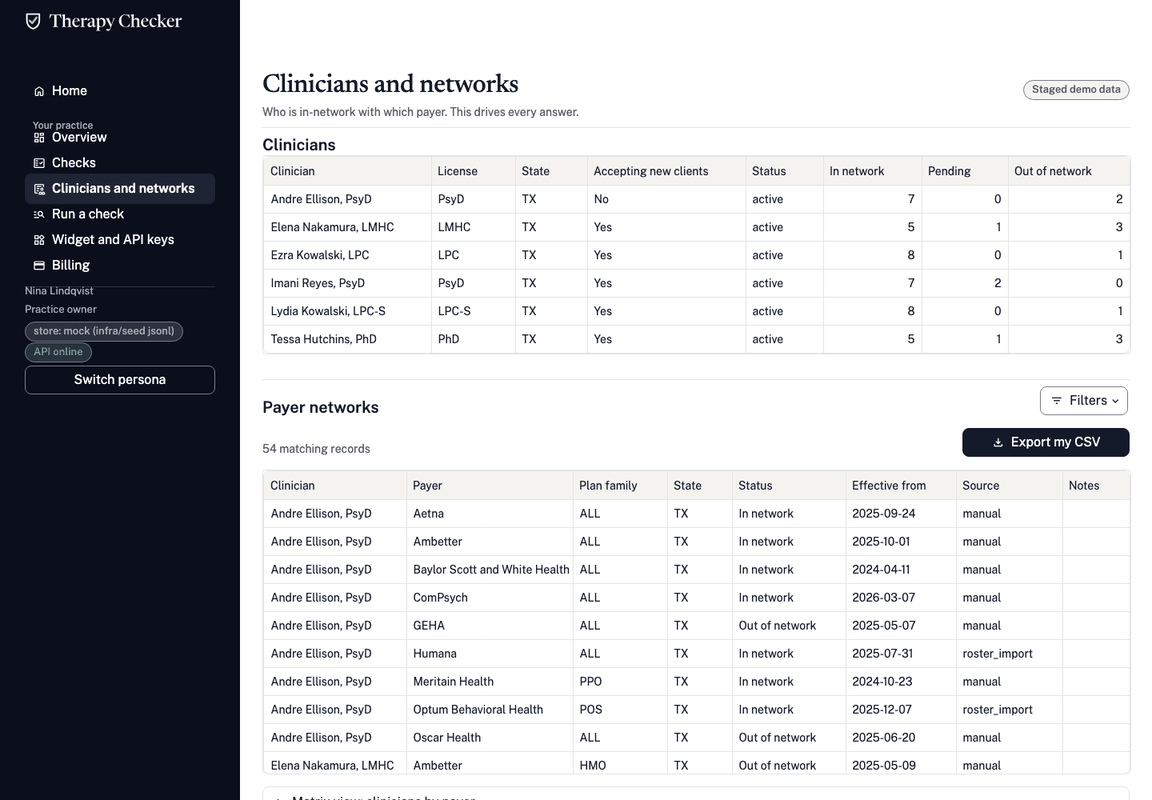
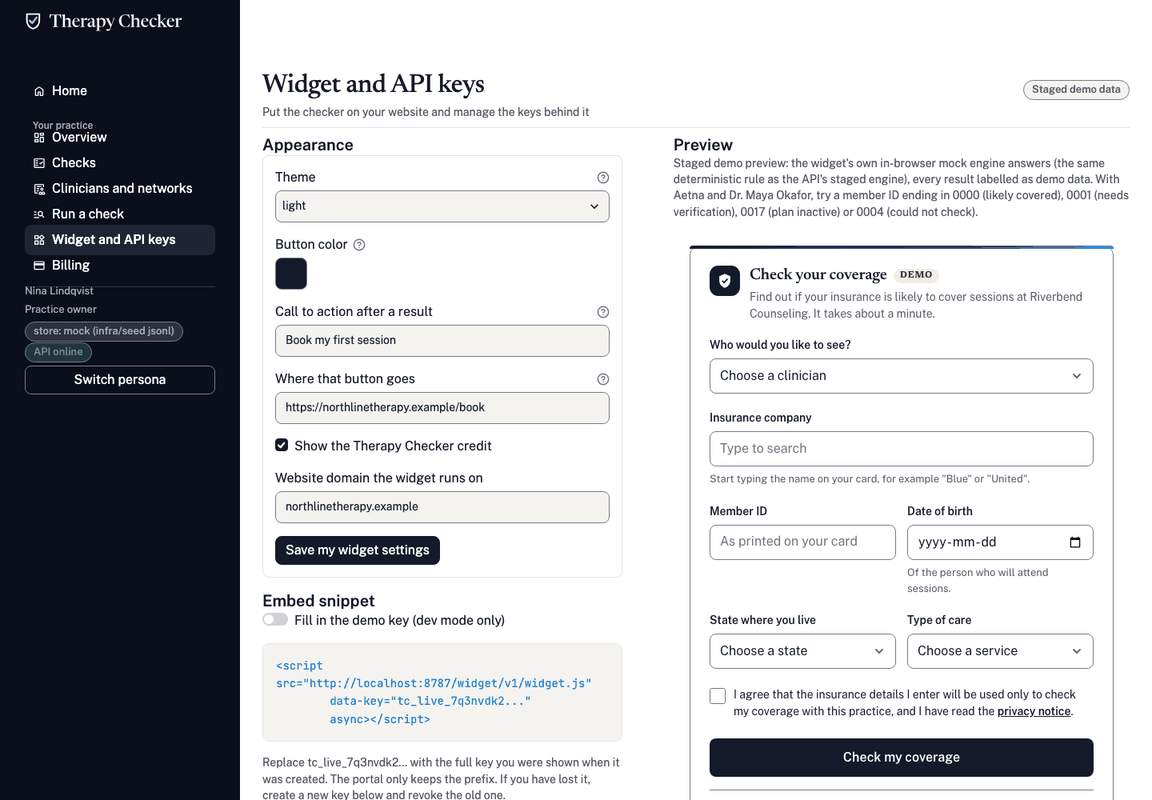
Portal screenshots show staged demo data for a fictional practice, Northline Therapy Group. No figure on them comes from a health plan.
Pick the option that fits your site. You can add the others later.
Every plan includes the widget and the hosted link.